Move Verto data into Dataverse
Many teams get their Verto data out into a database or export files, then get stuck. MDPM picks it up from there, maps it to Dataverse and keeps it in step.
Step by step
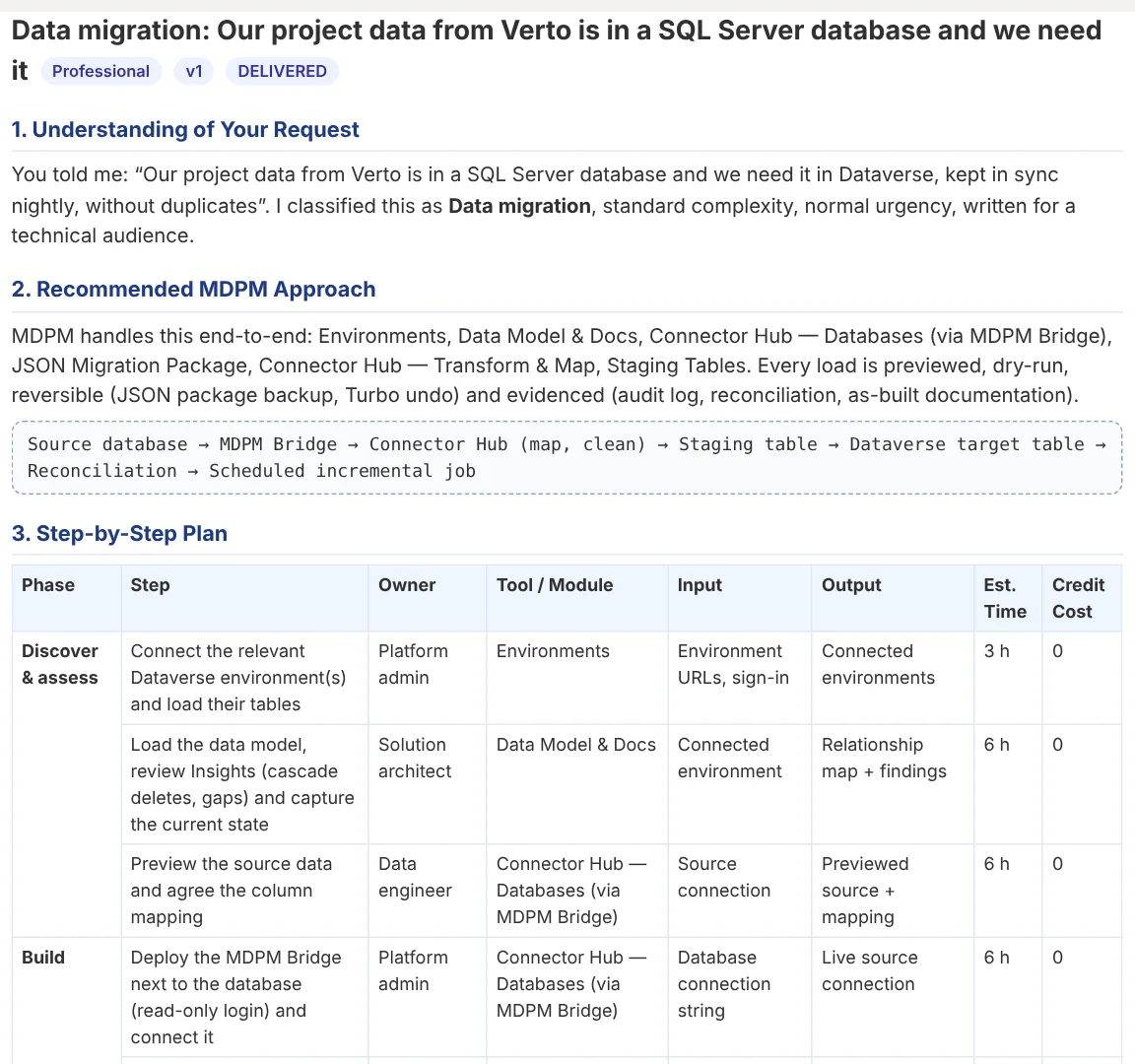
- Connect the source. Point the MDPM Bridge at the database that holds your Verto export, or use the Verto API or export files.
- Map the columns. MDPM suggests a mapping from Verto fields to your Dataverse tables. Adjust anything that is wrong.
- Check the data. Find duplicates against what is already in Dataverse and flag personal data.
- Rehearse. A dry run shows exactly what would be created or updated. Nothing is written.
- Run and keep in sync. Run it live, then save it as a nightly job that only picks up changes.
Why teams use MDPM for this
- Updates by project code, so re-running never creates duplicates
- Snapshots and one-click rollback for every run
- Works with the database you already exported to
- A plan and approval page for your project board
Common questions
Do I need access to Verto itself?
No. If your data is already in a database or export files, MDPM works from those.
Can it keep both systems in sync?
Yes. A saved job runs on a schedule and only moves records that changed since the last run.
Try it on your own data
The free plan includes one environment and 10,000 rows a month.