What MDPM does
One app for getting data into Microsoft Dataverse, keeping it clean, and knowing exactly what is in it.
Move data in and out
Connect to the systems you already have and move data in either direction.
- Databases through the MDPM Bridge: SQL Server, PostgreSQL, MySQL, Oracle, Snowflake and more
- REST and OData APIs, including Verto
- Excel, CSV and nested JSON files
- Saved jobs on a schedule that only pick up changes
- Copy tables and data between environments, keeping record IDs and lookups
Load millions of records safely
Fast imports that respect Microsoft’s limits and can always be undone.
- Large batches sent in parallel, slowing down automatically when Microsoft asks
- Pause, resume and pick up after a dropped connection
- Create, or update by a key you choose, with no duplicates
- Undo a whole import in one click
Clean and protect data
Fix problems before they reach Dataverse.
- Duplicate detection against what is already there
- Personal data found and masked or hashed
- Python (pandas) clean-up recipes that run in your browser
- Compare environments, for example Test against Production
Understand and document
Know what is in an environment and how it fits together.
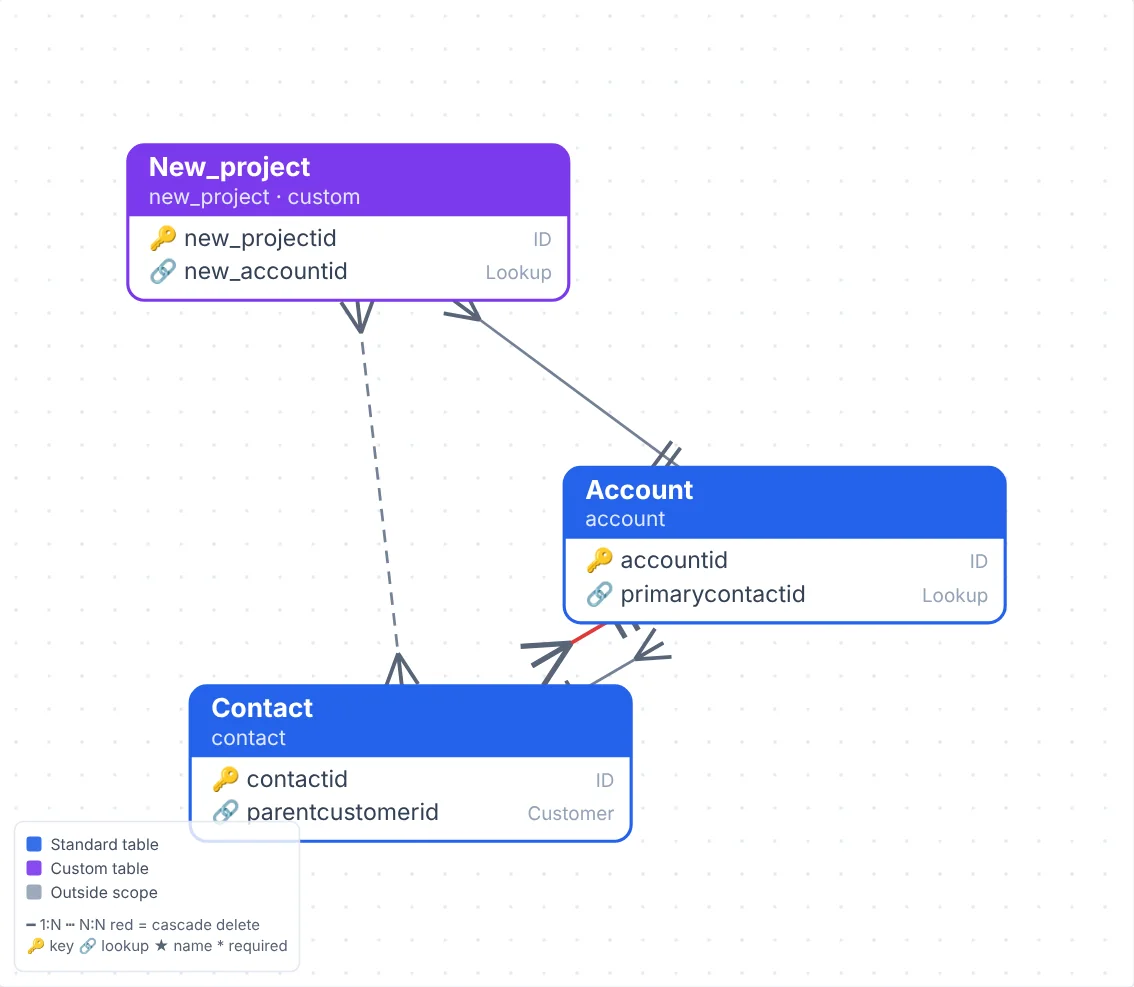
- Interactive relationship diagram with search, focus and filters
- Documentation for executives, architects or developers, in Word, HTML, Markdown, Excel or JSON
- Insights such as cascade deletes, isolated tables and missing descriptions
- Charts, dashboards and query studios
Advice and hands-free execution
Describe a problem; get a plan; let MDPM carry it out.
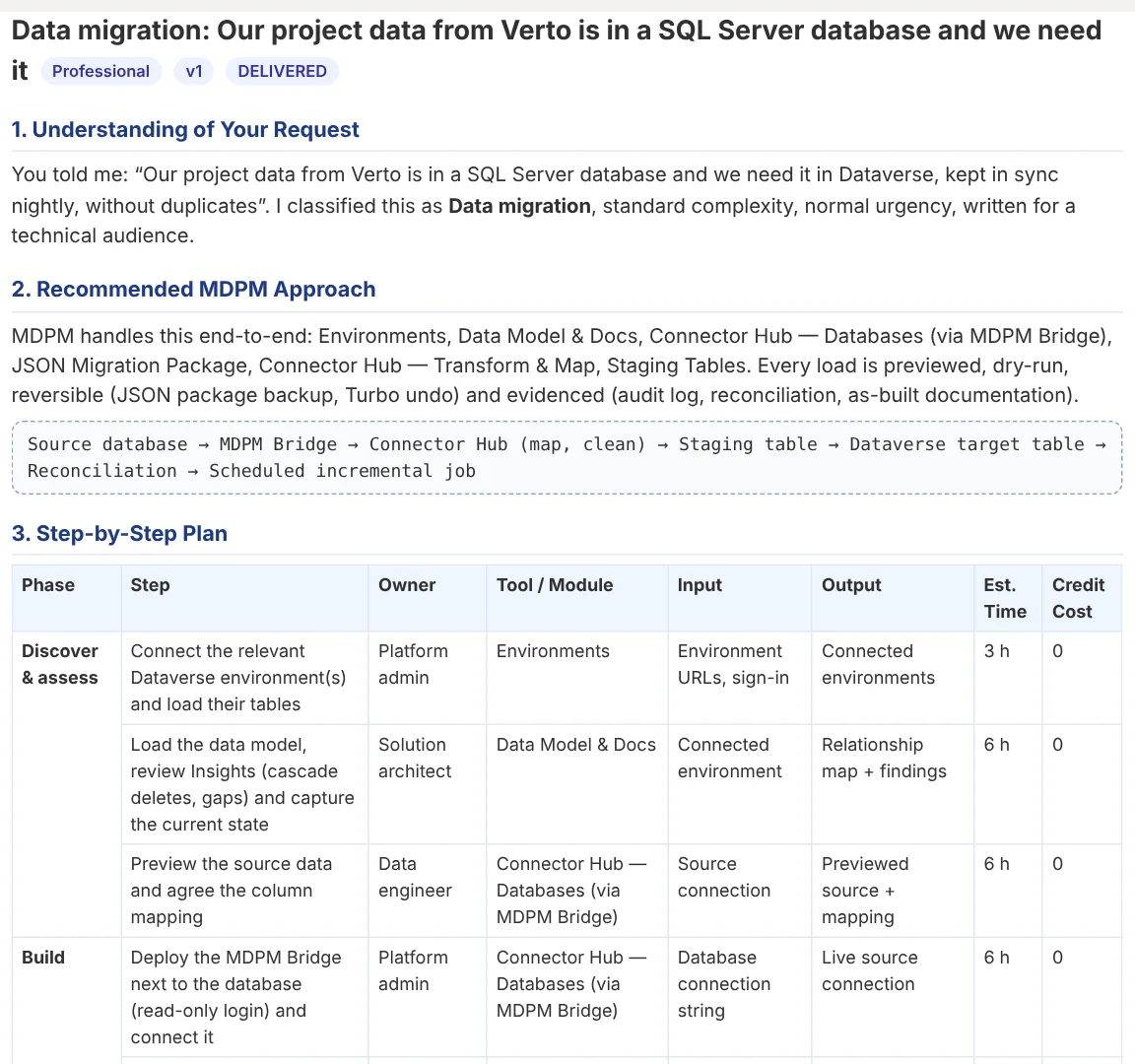
- Autonomous Consultant: a 14-part plan with costs, risks, success measures and an approval page, as Word and PDF
- “Do it for me”: rehearses the whole job, then runs it after a second confirmation
- Snapshots before every change, with one-click rollback that is checked against the snapshot
- Timeline, transcript, audio replay and an execution report for your records
Help and accessibility, included
Nobody should need a manual or a specialist to use it.
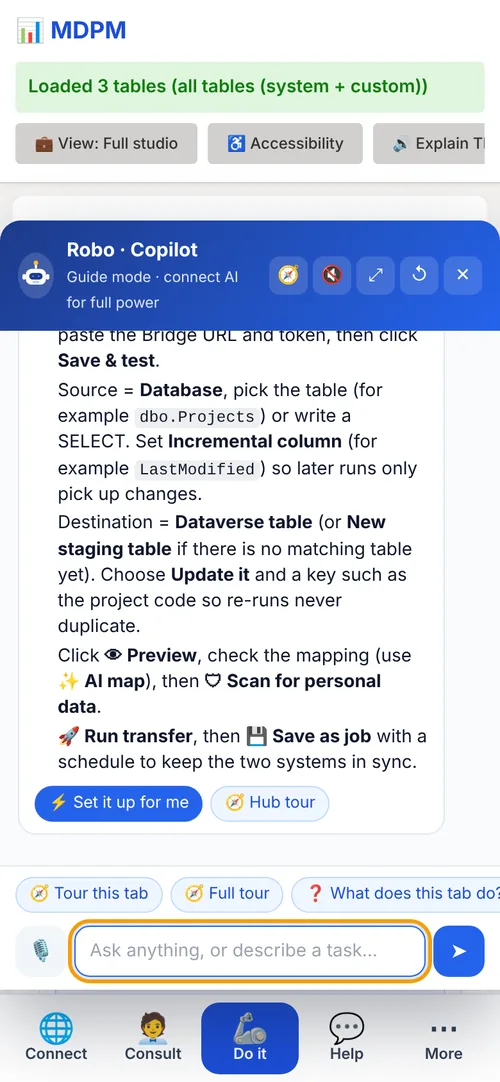
- Robo answers questions by text or voice and can do tasks for you
- Guided tours for every screen
- Read aloud, screen-reader support, voice commands and keyboard use, free on every plan
- Clear view and Safe training modes
See it on your own environment
The free plan includes the relationship diagram, file import and guided help.